Nifty Tools

Convert image files online

Convert images to WebP, JPEG, or PNG in your browser. Batch files, tune quality, keep transparency when the format supports it. No upload.

Last updated:

Processing mode: Local Browser-local

  • No file leaves your browser
  • Mode: Browser-local
  • 250+ files processed in the last 24h
Convert to
Waiting for images.

Visual guide

Image format decision guide

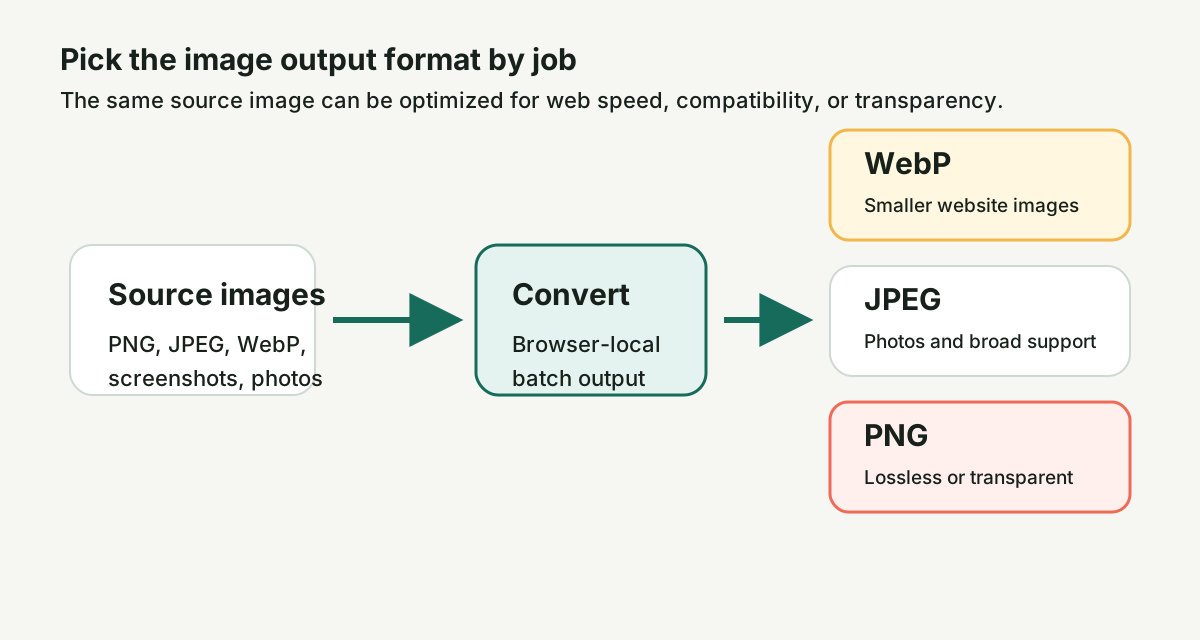
Choose WebP for smaller web assets, JPEG for broad compatibility, and PNG when transparency or lossless output matters.

Image conversion decision guide showing WebP, JPEG, and PNG output choices.
The best output format depends on whether you need small files, compatibility, or alpha transparency.

How to use it

Convert Image Files Online - WebP, JPG, PNG

  1. Add one or more image files from your device.
  2. Choose WebP, JPEG, or PNG as the output format.
  3. Adjust quality for lossy outputs when you need smaller files.
  4. Convert the batch in your browser.
  5. Download each converted image or export the full batch as a ZIP.

Good for

Common use cases

Use this image converter when the same source image needs to work in a different context. Convert PNG or JPEG screenshots to WebP for smaller website assets — Google's published benchmarks show WebP lossy images are 25–34 % smaller than comparable JPEG images at equivalent quality (SSIM), and WebP lossless images are 26 % smaller than PNGs. Create JPEG versions for upload forms that reject newer formats, or keep PNG output when transparency and lossless edges matter. The batch workflow is useful for product images, support screenshots, marketplace uploads, social thumbnails, client review assets, and image sets that need one consistent format before publishing. Conversion uses the browser's native Canvas API (HTMLCanvasElement.toBlob), supported by Chrome 50+, Firefox 19+, Safari 11+, and Edge 79+. No file ever leaves the device.

Processing mode

Browser-local

Files are processed by your browser. They never reach our servers.

Questions

Convert Image Files Online - WebP, JPG, PNG FAQ

Which output format should I choose?

Choose WebP for smaller website images — a typical 500 KB JPEG photograph converts to a 350–400 KB WebP at the same visual quality, saving 20–30 % bandwidth per image load. Choose JPEG for photos and older upload workflows where WebP is not accepted (some marketplace listing forms, older email builders, and legacy CMS fields still reject WebP). Choose PNG when you need lossless output or transparent backgrounds. If you are unsure and the image is going on a modern website, WebP is the best first choice: it has over 97 % global browser support as of 2026 (per caniuse.com).

Why convert to WebP?

WebP often produces smaller files for web pages while keeping strong visual quality. That helps pages load faster, especially when you are converting product images, screenshots, or article graphics that do not need to stay in PNG or JPEG.

Will transparent PNGs stay transparent?

Transparency is preserved when the output format supports it. PNG and WebP support alpha transparency. JPEG does not, so transparent areas need to be flattened against a background when you choose JPEG.

Why use JPEG instead of WebP?

JPEG is still useful for compatibility. Some older CMS fields, marketplace upload forms, e-mail builders, and internal tools accept JPEG but reject WebP. JPEG is also a familiar choice for photographs when transparency is not needed.

What happens to image metadata?

Browser canvas conversion usually outputs a fresh image without most embedded metadata such as camera EXIF, GPS data, and editing history. That can be helpful for privacy, but keep your original file if you need metadata preserved.

Can I batch convert?

Yes. Multiple images can be converted in one run, and the result area lets you download converted files individually or as a ZIP.

Does converting reduce quality?

Lossy targets like JPEG and WebP recompress the image, so a small amount of quality loss is normal — at the default quality setting (0.80 for WebP, 0.85 for JPEG) the difference is invisible to most viewers but the file is 20–40 % smaller than the lossless equivalent. PNG output is lossless. The quality slider lets you trade file size against visual fidelity: moving it from 0.85 to 0.60 on a JPEG roughly halves the file size with visible but often acceptable quality reduction for thumbnails and previews.

Are my images sent to a server?

No. Conversion runs in your browser using the Canvas API (HTMLCanvasElement.toBlob), so your files never leave your device — you can verify this by opening the Network tab in DevTools before converting; no requests fire after the initial page load. That is useful for confidential screenshots, private product images, and client assets.

Will this tool stay free?

Yes. The core workflow stays free. Optional Day and Project Passes add more file and batch headroom on supported file-pipeline tools when you hit the free limits.